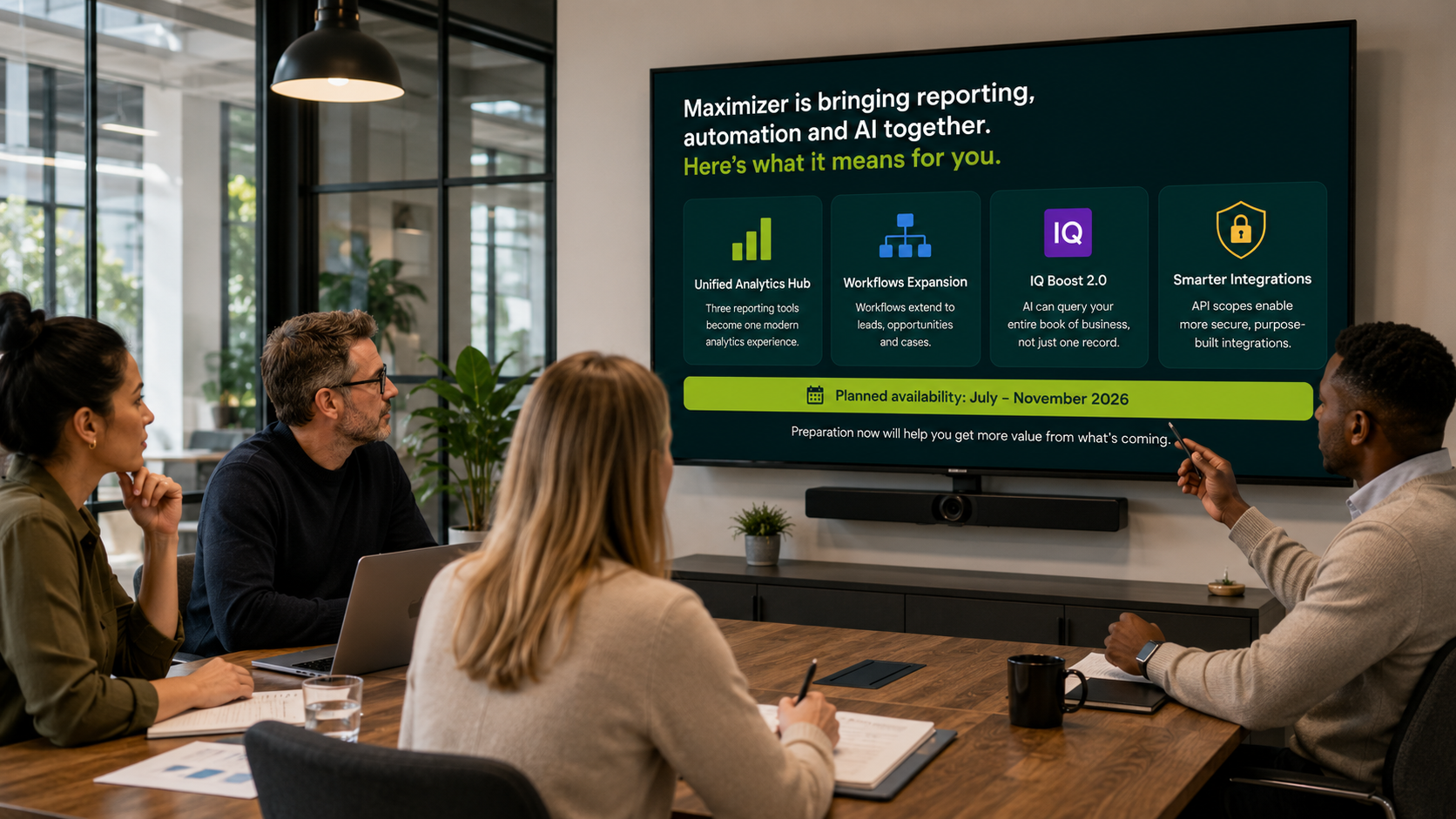
Infor CRM SLX 10.0 is here, and version 10.1 is due in November 2026, but that doesn’t automatically mean you should upgrade. A new version number is not a business case, and the useful question is not simply what Infor has released, but what has changed for your environment and whether any of it improves the way your business actually uses CRM.
For some SLX customers, V10 and 10.1 make a strong case for moving forward. For others, the right answer may be to stay where they are for now. We would rather work that out first than recommend an upgrade just because it happens to be the newest version.
In this article, we look at where Infor CRM SLX is today, what is changing in 10.1, how those changes affect on-prem and cloud customers, and what we would check before recommending an upgrade. The point is not to repeat Infor’s release notes, but to work out what existing SLX customers should genuinely care about.
Watch our video: Infor CRM SLX V10 & 10.1: What Existing Customers Need to Know
Infor CRM SLX is moving again
The most important change is not one individual feature, instead we look to the amount of development happening across the product again. Infor has made noticeable progress in workflow, dashboards, navigation, integrations, performance and the Web Client over the past 18 months, with version 10 moving several areas forward and 10.1 continuing that work.
For long-standing SLX customers, that matters more than you may realise; some businesses are still using version 7 or 8 and have seen periods where progress was much less visible. However, the current direction is clearer, and Collier Pickard’s Alan Joenn and Steve Richardson both describe the recent work as bringing SLX back up to date with functionality users now expect from a modern CRM.
The other thing worth understanding is where that development is happening. Infor’s focus is the Web Client. The older LAN client still exists, but it’s not where the new functionality is being built, so businesses planning to stay with SLX need to understand that direction when making longer-term decisions.
What has actually improved in Infor CRM SLX V10?
There are plenty of individual changes we could list, but that is not particularly useful on its own. The better question is what a normal SLX user will actually notice. One of the clearest improvements in V10 is the way useful information can be presented without forcing users to hunt through different areas of the system.
V10 gives users stronger dashboard capabilities, allowing relevant information to sit alongside the records they are already working on. Users can see information graphically, compare data and then drill into the underlying records where they need more detail. That’s important because it reduces the time people spend looking for information before they can decide what to do next.
The interface has moved forward too, but we would not overstate that. A CRM does not create value simply because it looks newer. It creates value when somebody can find the right information quickly, understand what is happening and take the right action.
Workflow is becoming considerably more useful
Workflow is one of the areas we think existing customers should pay particular attention to. Infor has been developing its workflow functionality over several releases, and V10 and 10.1 continue that progression. You can already use workflows to trigger actions from CRM data, send emails, create activities, update records and move work through a process.
Version 10.1 adds more flexibility to the logic behind those workflows, including OR conditions. That sounds like a small technical change, but it makes a real difference to the processes you can build. If a workflow can only trigger when condition A and condition B and condition C are all true, it doesn’t take long before the system stops reflecting how the real business process works.
Adding OR logic lets workflows behave more like the processes your team actually follows. That can reduce the need for custom development and remove manual steps that currently depend on somebody remembering what to do next. The useful outcome is not that the workflow designer has another option in a menu, but that someone in your business may no longer need to carry out the same repetitive task by hand.
Email is improving, but it’s not suddenly a marketing automation platform
SLX can now do more with email inside workflows, and 10.1 takes that further. Users will have more control over the HTML and presentation of emails, while personalisation can use information from the CRM record being processed. That makes workflow email more useful than it has been in previous versions.
What it does not do is automatically replace a proper marketing automation platform. There is a difference between sending an automated email because something happened in CRM and running full campaigns with journeys, engagement tracking, click reporting and attribution. If you already have another platform doing that job properly, we wouldn’t recommend replacing it just because SLX can now send a better-looking email.
Infor also has its own OCM marketing capability for organisations that need more. That is a separately priced and configured product, so it should be considered as its own decision rather than treated as something every SLX customer suddenly needs. The question is not which product has the longest list of features, but what job you are trying to do and whether the tools you already pay for can do it properly.
Infor’s “crawl, walk, run” approach is worth understanding
Infor sometimes describes the development of new functionality as “crawl, walk, run”. A capability appears in one release, gains more functionality in the next, and may take several iterations before it becomes the complete tool customers originally imagined. That is a sensible way to develop software, but it’s also something customers need to understand when they read a roadmap.
The mistake is assuming that because a feature has appeared, every customer should immediately rebuild a process around it. We would ask two different questions: is the capability available, and is it mature enough to solve the problem you have today? Those answers are not always the same.
This is particularly relevant when looking at workflow, email and some of the functionality being extended in 10.1. New is not the standard we would use to judge it. Useful is.
What else is coming in Infor CRM SLX 10.1?
Configurable navigation is one of the simpler changes in 10.1, but it may be one of the changes users notice most. People will have more control over what appears in their navigation and how it’s arranged. If somebody spends most of their day working with opportunities, quotes and sales orders but rarely touches tickets, the system can be set up to reflect that rather than showing everybody the same menu.
It’s not a dramatic technical feature, and it will probably never appear on a board paper. It may still save somebody time every day. Small usability changes are often where CRM adoption improves because they remove friction from work people already have to do.
Address handling is improving too. Version 10.1 can use Google services to validate address information, although customers need to configure their own Google API key. That’s also a good example of why we don’t treat “feature announced” as meaning “feature automatically available and ready to use in your environment”.
Version 10.1 also continues architectural work around 64-bit components and performance. That’s important for organisations planning infrastructure changes or moving from much older versions of SLX, but it needs to be understood in the context of the system you actually run. It doesn’t mean every historic SLX component suddenly becomes 64-bit at once, particularly when the older LAN client is not where current product development is focused.
Are on-prem SLX customers being left behind?
For many of our existing customers, this is the more important question. The short answer is no. Infor is continuing to develop the core SLX product for both cloud and on-prem customers, so the Web Client, workflow improvements and many of the newer capabilities are not simply being reserved for cloud users.
There are differences between the two environments, but they are more nuanced than saying cloud gets the new CRM while on-prem gets the old one. The address-validation functionality coming in 10.1 is a good example. An on-prem customer can use it too, provided the required Google API key is configured.
The bigger distinction is the infrastructure around the application and who is responsible for managing it. That can be an important reason to consider cloud, but a separate decision from whether you want the latest SLX functionality. An on-prem customer doesn’t need to move simply because a new CRM feature has appeared.
Should you move Infor CRM SLX to the cloud?
Maybe. That is not us avoiding the question, it’s the only sensible answer without understanding your business and your current environment. Cloud has real benefits, but “cloud is the future” is not enough of a reason to spend money moving a working CRM from your on-prem environment.
If you move to cloud, Infor manages the underlying infrastructure in its cloud environment, so your team doesn’t have to maintain the CRM servers. Software updates can be handled through Infor’s cloud operations, and new cloud customers can have a staging environment where changes can be tested before they reach production. For organisations that want to remove infrastructure responsibility from their internal IT team, those are the most important benefits.
The wider Infor Cloud environment can also open more integration options through Infor ION, particularly where SLX needs to work with other Infor products. That may be strategically useful for some organisations and irrelevant to others. We would want to understand what systems you are connecting and what problem you are trying to solve before treating that as a reason to move.
If your on-prem environment is supported, well maintained and doing the job you need it to do, moving it somewhere else simply because the option exists can create cost without creating value. The better questions are whether you want to remove infrastructure from your own IT team, whether your hardware is approaching replacement, whether cloud makes important integrations easier, or whether your wider IT strategy is already moving systems in that direction. Those are reasons to have a cloud conversation.
What does multi-tenancy mean for SLX customers?
Multi-tenancy is starting to come up more often in our customer conversations. Infor’s direction for its CRM cloud environment is towards shared infrastructure rather than every customer operating on a completely separate server environment. That could change how the cloud service is administered and may create infrastructure efficiencies over time.
It will also change parts of the technical model. Direct server access becomes less relevant, which is one reason more administration is moving into the Web Client and supported remote tools. Steve explains that the direction includes administration being handled without needing the older locally installed admin tools in the same way.
That direction is worth knowing about now, but our advice today is not to make a project decision because of it. The multi-tenant environment needs to exist, its commercial structure needs to be clear, and customers need to understand what it actually changes before it becomes something worth planning around. Keep it on the radar, but don’t build a migration project around an assumption.
Should you upgrade to V10 now or wait for 10.1?
We wouldn’t make that decision based on the calendar. Start with the version you are running now, the infrastructure underneath it and what you want the change to achieve. If you are already on a recent supported version, you may decide that none of the newer capabilities justify an upgrade yet.
If you are several versions behind, the position can be very different. You may need more than one upgrade step to reach the current release, while the operating system underneath CRM, integrations or other infrastructure may already be approaching the end of support. Waiting doesn’t always make the eventual upgrade easier; sometimes it simply makes the gap larger.
The business case could also come from something quite specific. A workflow improvement might remove manual administration, newer dashboards could replace reporting currently done in spreadsheets, or standard SLX functionality might allow you to retire an old customisation. The reason could also be security and support rather than a new feature.
That is the assessment we would make.
We wouldn’t recommend upgrading because 10.1 exists. We would only recommend it when the change solves a problem, reduces a risk or gives you something new that your business can actually use.
Security can become the reason to move
Running older software has consequences even when the CRM still appears to work. Eventually, older versions stop receiving the same fixes and support as current releases. If a new vulnerability is found, there is no guarantee an unsupported version will be patched.
That can become a business issue rather than just an IT issue. Organisations working towards Cyber Essentials or Cyber Essentials Plus, or meeting security requirements imposed by customers and procurement processes, need to understand the support status of the systems they rely on. An ageing CRM environment can therefore become part of a wider compliance conversation.
That still doesn’t mean every old system needs replacing immediately. It means you should know what you are running, whether it’s supported and what risks you are accepting by staying there. Once those facts are clear, the upgrade decision becomes much easier to make.
There is no cookie-cutter SLX upgrade
Two businesses can both be running the same version of Infor CRM SLX and need very different upgrade projects. One might use opportunities heavily but barely touch service functionality, while another may have ten years of ticket history. One may be close to the standard product, while another has integrations, custom screens, bespoke workflows and development added by several different suppliers over the years.
The database matters, the customisations matter and the integrations matter. The way your people actually use the CRM matters too. That is why we cannot give every SLX customer the same timescale from a version number alone.
Before recommending an upgrade, we want to understand your current version, infrastructure, integrations, customisations, the areas of CRM your teams use, relevant data volumes and what you want the change to improve. Only then does a sensible scope and timescale start to exist. That is slower than giving you a price on the first phone call, but also considerably cheaper than discovering the complexity halfway through the project.
User acceptance testing is not optional
We can test whether SLX opens, whether an integration connects and whether a workflow fires. What we cannot do is sit at somebody else’s desk and know every step they take to get their job done. Your users know that because they work through those processes every day.
That is why user acceptance testing (UAT) matters during an SLX upgrade. CRM systems change over time as fields are added, processes are adapted and customisations are introduced to solve particular problems. A developer can click through an upgraded system and conclude everything works while still missing the one step somebody in sales, service or operations relies on twenty times a day.
We would rather discover that in a test environment than on Monday morning after go-live. Your people need to be part of proving that the upgraded system still supports the way the business actually operates. Testing the software is not enough; you need to test the work.
Can you change Infor CRM SLX partner?
Yes. Your CRM doesn’t belong to the company that originally implemented it, and you can change the partner supporting or developing it. A new partner shouldn’t pretend they understand the environment before they have looked at it.
We would want to review the current version, infrastructure, integrations, customisations and how the system is being used. That is particularly important for older SLX installations because a system that has been running for ten or fifteen years can contain work from several developers, administrators and suppliers. The login screen may say Infor CRM SLX, but what sits behind it can be very specific to your business.
That first review protects both sides. It gives you a realistic picture of what you have, and it stops us making promises based on assumptions. If we are going to recommend an upgrade, support arrangement or change of approach, we want the reasoning to be clear first.
How we approach an Infor CRM SLX upgrade
We start with what exists today, not the version we want to sell you. We establish your current SLX version and the route from there to the target release, including any intermediate upgrade stages that may be required. We then review the infrastructure underneath it, the integrations and customisations that need protecting, and the parts of CRM your teams actually depend on.
From there, we can map the upgrade and build the test programme. Your users test the processes they actually follow, and if the upgrade has changed or broken something, we deal with it before the new environment reaches production. Only once that work has been completed do we move to the live system.
That process is deliberately less exciting than telling everybody to upgrade to 10.1 and is also considerably safer. Understand the business, understand the system, then decide what should change.
What should you do now?
Start by finding out exactly what you have. Know your SLX version, understand the infrastructure underneath it and identify the integrations and customisations your business depends on. Then look at V10 and 10.1 again with that context.
Ask which changes would actually improve the way your business works, which solve a genuine problem and which are interesting but irrelevant to you. Your answer might be to upgrade, prepare for 10.1, start looking at cloud, or stay exactly where you are for another year. We are comfortable with all four answers.
If you are running Infor CRM SLX and want a second opinion, talk to us. We can review where you are today, explain what V10 and 10.1 change for your environment, and tell you what we think you should do next. If the answer is “nothing yet”, we will tell you that too.