Eight years ago, LJP Communications (LJP) was tracking sales through an Excel spreadsheet. Four years ago, the business moved to a customer relationship management (CRM) system.
The decision didn’t begin with a search for better software or a list of desirable features. It began when the owners discovered that weaknesses in the existing process were costing the business between £2,000 and £3,000 a month in missing sales, sometimes more.
Incorrect entries, broken formulas and accidental deletions meant sales could disappear from the records. Reconciling the spreadsheet took days, while the person responsible for maintaining it was pulled away from other work that generated revenue.
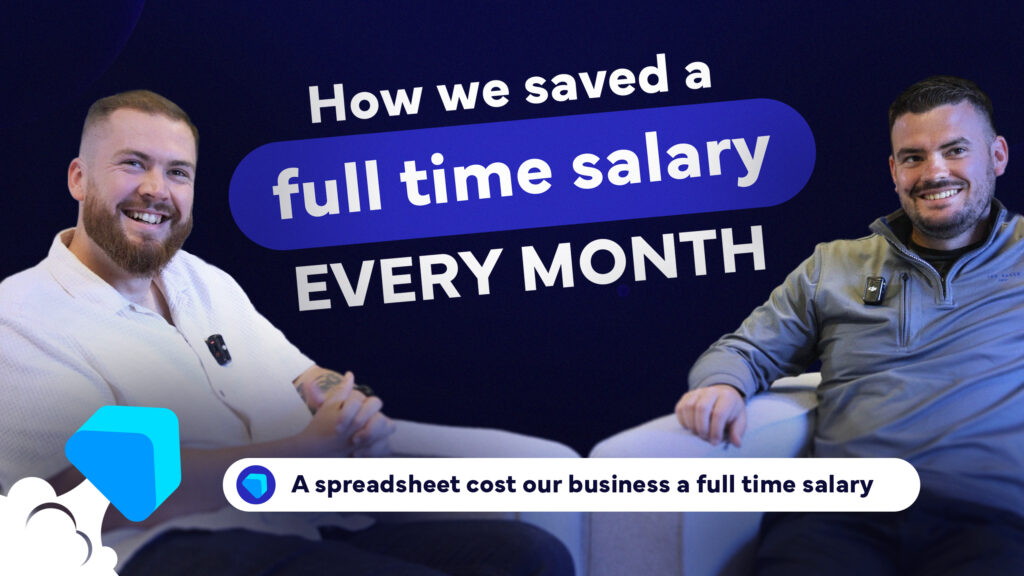
The spreadsheet looked inexpensive because there was no substantial licence fee attached to it. Its actual cost was closer to a full-time wage each year. That distinction matters if you’re considering procuring a new CRM.
Watch this article in video format here:
The Cost of Doing Nothing Is Rarely Zero
An existing spreadsheet or CRM has one obvious advantage: It’s already there. People know how to use it, at least to some extent. The business has probably built processes around it. There may be no implementation project to approve and no new contract to sign. That can make staying with your current system feel like the cheaper, safer option.
Many businesses compare the purchase price of a new CRM against a system that appears to cost nothing. The real comparison is between the full cost of the current way of working and the full cost of changing it. At LJP, the missing sales provided the clearest figure. Once the business knew that £2,000 to £3,000 a month was being lost through poor tracking, there was a commercial measure against which a CRM investment could be judged.
Some businesses are trying to decide whether they should build or buy their CRM. We think configuration may be the better option for SMEs.
There were other costs too; salespeople couldn’t easily see their targets or calculate their expected commission, managers were working out individual targets manually and displaying them on whiteboards in the stores, and employees were spending five or ten minutes after some sales finding the correct product information and entering it into the right cells.
Further, historic performance was difficult to access. Staff often had to ask the person controlling the spreadsheet to retrieve the information for them. Because the process was slow, people frequently didn’t bother. Some of those problems could be expressed directly in revenue, others appeared as wasted time, slower management decisions or frustration on the sales floor. but they were all part of the cost of the existing process.
Start With a Problem You Can Measure
A cost-benefit analysis doesn’t need to account perfectly for every possible benefit before you can act. However, it does need a credible starting point.
For LJP, recovering missing sales created the initial business case. The business knew roughly how much revenue was being lost each month and could compare that figure with the cost of introducing a CRM. The less certain benefits could then be treated as additional value, rather than used to inflate the calculation.
For example, better visibility of commission might improve motivation, faster sales entry could give employees more time with customers, and clearer performance data could help managers support struggling employees and recognise stronger performers. Those benefits are commercially relevant, but they’re harder to forecast precisely, so your business case shouldn’t rest entirely on optimistic assumptions about them.
Start with the losses, costs or inefficiencies you can evidence. Ask yourself questions such as:
- How many hours do you currently spend entering, checking and correcting data?
- How often do transactions go missing?
- What do errors cost you?
- How much management time goes into compiling information the system should already provide?
A system change becomes easier to assess once you’ve established a defensible minimum value for fixing the current problems. This applies to spreadsheet to CRM migrations, but also current CRM to new system migrations.
The First CRM Decision Solved the Immediate Problem
It’s important to note that LJP didn’t move from Excel to the most extensive CRM platform on the market to solve their problems.
The business reviewed its requirements, spoke to other retail operators and narrowed the choice to two systems already being used by similar organisations. Both could handle the main requirements, so usability and confidence in the interface became important parts of the final decision.
The chosen CRM addressed the problems the business needed to solve at that point. Instead of manually finding and entering product information, salespeople could scan a receipt or enter an order number. The relevant details were then placed into the correct fields automatically. This meant that employees could see their sales, targets and expected commission, and managers gained a clearer view of performance over time and could identify where support or recognition was needed.
Now, the missing sales could be identified, recorded and recovered, the system also achieved 100% adoption across the business.
That happened partly because the improvement was obvious to the people expected to use it; entering sales was quicker, and the figures were easier to see. But further to this, the system gave employees something useful back, rather than asking them to complete extra administration purely for management reporting.
The project was also led by a manager who understood the problems on the shop floor. He spoke to the teams, gathered their requirements and had the credibility to explain why the new system would improve their work.
However, the lesson here is broader than picking an enthusiastic project lead. The person responsible for the project needs enough authority to make progress, enough practical knowledge to understand how the process really works, and enough trust from users to gather honest feedback. Passion without credibility isn’t enough. Neither is technical knowledge without access to the people doing the work.
A Successful CRM Can Still Become Restrictive
The CRM introduced four years ago delivered substantial improvements. That doesn’t mean any CRM remains the right answer indefinitely. LJP has changed since the system was selected. The business now operates with more extensive compliance requirements. Employees need to complete work across several separate tools. Some pages within the CRM are slow to load, and users may need to move between different screens to find the information they need.
LJP also identified that managers can’t easily analyse which products or contract types offer the strongest margin. Employee reviews still require manual input, despite a review function existing within the software, because the available feature doesn’t fit the business’s process. When discussing this with the Managing Director and Operations Director at LJP, they estimate a better workflow could save around 30 minutes per review.
These limitations don’t prove that the original system selection failed. The CRM solved the problem it was bought to solve, but the business’s requirements have since developed beyond the original scope. This is a common stage in a CRM relationship. A platform may work well as a sales database but become less effective once you want to bring compliance, employee processes, internal communication and more detailed commercial reporting into the same environment.
At that point, the decision is no longer a repeat of the original Excel vs CRM comparison. The existing system already provides value and a replacement or upgrade has to justify the cost and disruption of giving up what you already have.
What We Would Consider Differently Today
At Collier Pickard, we’ve since seen how configurable CRM platforms can support a much wider range of business processes. Most importantly, the system doesn’t have to stop at only recording sales.
We’ve seen first-hand how a configurable platform could bring sales entry, compliance checks, employee reviews, reporting and internal workflows into one place. Pages could be designed around what different teams need to see. Managers could receive reports on individual and store performance, while the business could analyse which products are producing the strongest return.
“Four years ago, we saw the CRM mainly as a better way to track sales. Since working at Collier Pickard and seeing configurable platforms in action, I now understand that a CRM can become a much broader operating system for the business, bringing different processes and workflows into one place. Had I known that then, I probably would have made a different decision.”
Ollie Bartlett, Co-Owner, Collier Pickard
That wider view would have affected the platform decision four years ago, but it doesn’t necessarily mean LJP should have purchased the largest or most configurable system available from the beginning. Buying far beyond the requirements of your business can create unnecessary cost and complexity. It does mean you should consider the likely direction of your business alongside the immediate problem.
A useful CRM selection process should ask whether the platform can support the current requirement, what happens when the next process needs to be added, and how expensive it will be to adapt the system later. The cheapest answer to the first problem can become an expensive constraint if every new requirement needs another tool, manual workaround or separate source of data.
How to Calculate the Cost of Your Current Process
The first part of the analysis is to create a monthly cost for the way your business works now; you must look beyond the subscription or license costs.
Look at how much employee time is spent entering information, moving it between systems, producing reports and correcting mistakes. Include the time managers spend reconciling records or searching for figures. Then examine the direct commercial losses. These may include missed transactions, unclaimed revenue, duplicate work, avoidable refunds or decisions made using inaccurate information.
Compliance and operational risk also need a value attached where possible. That could include the cost of correcting incomplete records, repeating checks or dealing with failures after they’ve occurred.
Key-person dependency is another cost that often remains hidden. If one employee understands the spreadsheet, reporting process or collection of workarounds, you’re relying on that person to keep the process running. Their absence or departure can expose how little of the process has been properly documented or controlled.
There may also be missed commercial opportunities.
As identified by Laurie and Ollie, At LJP, better information about product margins could allow managers to guide sales teams towards products that generate a stronger return. A relatively small improvement in margin, repeated across a team of 30 people, could produce a meaningful result. That value should be modelled carefully, but it shouldn’t be ignored simply because it doesn’t appear as an existing expense.
Calculate the Full Cost of Change
Once you understand the cost of your current process, you can compare it with the cost of changing.
You may need to pay for process discovery, system configuration, data migration, integrations, training and testing. Internal teams will also spend time on the project, which should be recognised as a cost even when it doesn’t appear on a supplier invoice. There may be a temporary reduction in productivity while employees learn the new system. Existing data may need to be cleaned before it can be migrated. Managers will need to make decisions about fields, workflows, permissions and reporting. Someone must also own the platform after it goes live.
Businesses often approve an implementation budget without accounting for ongoing administration, support or future changes. That can leave the CRM dependent on a supplier for every adjustment, or gradually becoming outdated because nobody internally has the time or authority to manage it. The comparison should therefore cover several years, rather than focusing only on the initial project price.
A lower implementation cost can be attractive, but it matters less if the platform later requires several additional systems to cover processes it can’t support.
Separate Savings From Available Capacity
One common weakness in CRM business cases is treating every saved hour as an immediate financial saving. If a new workflow saves a manager ten hours a month, you’ve created ten hours of capacity. You haven’t necessarily reduced payroll by the equivalent amount.
The next question is what happens to that time.
- Could the manager spend more time coaching employees?
- Could they carry out more customer-facing work?
- Would the saved time remove the need for an additional role as your business grows?
- Could it improve the speed or quality of compliance checks?
The value becomes more credible when you can explain how the released capacity will be used. The same discipline should apply to revenue forecasts. Better reporting may help your team sell more profitable products, but the analysis should show how that information will reach employees and who will act on it. Ultimately, the software doesn’t create the return by itself. The process and management response determine whether the information produces a better commercial outcome.
Questions to Ask Before You Change Your CRM
Before reviewing platforms, ask:
- Do you know, in hours or pounds, what the current process costs each month?
- How much revenue has been missed, delayed or written off because information was incomplete or inaccurate?
- If the employee who understands the process left tomorrow, could somebody else run it?
- When was the last time a reported number turned out to be wrong, and how was the mistake discovered?
- Can you say confidently which products, services or customer types produce the strongest margin?
- How many systems do your employees need to use to complete one process?
- Which manual tasks could disappear, and what would employees do with the time released?
- What problem must a new CRM solve first for the investment to be worthwhile?
- Which requirements are likely to appear over the next three to five years?
- Who will own the platform and continue improving it after implementation?
The answers won’t automatically tell you which CRM to buy, but they will tell you whether the current process is genuinely sustainable, what value a replacement needs to produce, and which capabilities should influence the decision.
Make Both Sides of the Decision Visible
Software proposals make the cost of change visible. Your current process rarely presents you with an equivalent invoice. Its costs are distributed across salaries, missed revenue, reporting delays, errors, management time and workarounds that employees have gradually accepted as normal. That imbalance can keep you in an unsuitable system for too long, or push you in the opposite direction, towards a platform that’s more extensive than you can realistically use.
LJP’s first CRM decision was justified by a clear and measurable problem: It recovered missing sales, reduced manual entry, improved visibility and achieved full adoption. Four years later, the next decision requires a wider calculation. The current CRM still provides value, but the business must now decide whether the cost of its limitations is high enough to justify moving to something more configurable.
At Collier Pickard, that experience shapes how we advise clients. We understand the immediate pressure to fix a broken process, but we also know the questions that become important once a business has grown beyond that first solution.
Ready to Make the Comparison?
If you’re trying to decide whether to improve your current CRM, replace it or leave it alone, let’s talk; we can help you establish the cost of where you are now and whether the available options make commercial sense.