Looking to run reports on on the Interaction History of an Address Book Entry? We’ve made it nice and easy for you! We have both a video and a written guide for you here. Or, if you want to see everything in one place you can download the Maximizer CRM Questions and Answers FAQ here.
Question: I used to print the Notes Report to show the interactions with my key accounts. How can I report the interactions with one of my account now?
Answer: You can use the Interactions Report to show the interaction history of an Address Book entry.
Want to see it happen in front of you? Here is the video guide:
Want to see it in more detail? Here is a step by step guide:
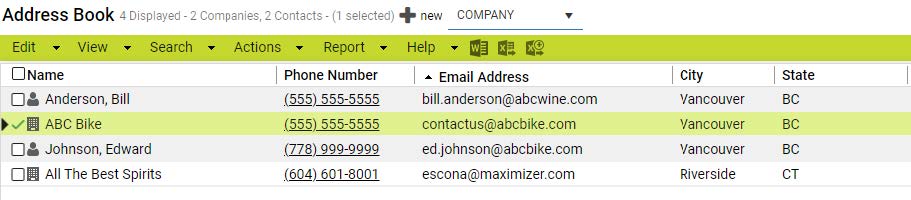
1. In Address Book module, select an entry you want to report.
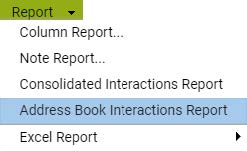
2. Go to Report menu > Address Book Interactions Report
3. In search criteria section, select “All selected entries” in the Entries field.
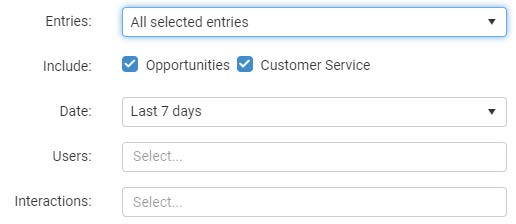
4. Specify a date range
5. Select the users and interaction types. If you leave the fields blank, all users and all types will be selected.
6. Click the RUN button to generate the report. You will see the interaction history of the selected entry.
7. You can export the report to a PDF file and print it or email it to other users.
Looking for help with Maximizer CRM? Or, want to find out how Maximizer CRM can help your business, then get in touch.